"What Python library do I use to pull data off this machine?" is a question I get asked about a different control almost every month, and the honest answer is always it depends which one. There's no single SDK for "CNC machines" — there's FOCAS for FANUC, LSV2 for HEIDENHAIN, OPC UA for Siemens, MTConnect for whoever bothered to implement it, and a handful of proprietary protocols nobody outside the machine builder fully documents. I've built collectors against several of these for real shop-floor projects, and this is the map I wish existed when I started: every major controller, its official channel, the Python library that actually works against it, and what you're licensed to do with any of it.
Why collect data from a CNC controller at all?
Every number in this section already exists inside your controls. The only question is whether it stays trapped on a screen next to the machine or starts feeding systems that make the shop better. That's the entire pitch for Industry 4.0 in a machine shop: not robots and buzzwords, just getting the data that's already there into a place software can use it.
- OEE, honestly measured. Run state, cycle counts, and downtime read straight off the control turn OEE from a Friday spreadsheet ritual into a live number instead of an operator's best guess.
- Predictive maintenance. Spindle load, vibration, and servo diagnostics trended over weeks catch a failing bearing before it strands a job — the same FFT technique that reads a vibration trace needs a data feed to trend against.
- Live dashboards and andon boards. A wall monitor showing what every machine is doing right now, sourced from the controls instead of someone walking the floor with a clipboard.
- MES and ERP integration. Actual cycle times and part counts flowing into your MES beat the planned times it was seeded with — machines report reality, not the schedule.
- SPC without a clipboard. Probing results and in-process measurements already land in macro variables or system registers; reading them automatically is the difference between real-time control charts and a shift-end transcription job.
- Automated reporting. Shift summaries, scrap reports, and utilization rollups generate themselves once the raw numbers are flowing somewhere queryable.
- Digital twins and remote diagnostics. You can't mirror a machine's state, or diagnose it from your phone, without first reading that state off the control.
How CNC controllers actually talk to the outside world
Before the controller-by-controller detail, it helps to know the handful of kinds of channel you'll run into. Almost every integration on this page is one of these:
- Official manufacturer SDKs. A vendor-provided library — FANUC's FOCAS, Okuma's THINC-API, Beckhoff's ADS — that talks the control's native, undocumented-to-outsiders wire protocol. Deepest access, narrowest scope: one SDK, one brand.
- Proprietary Ethernet protocols. Simpler, sometimes officially documented text or binary protocols over plain TCP — Haas's Q Commands, Fagor's PC-CNC protocol. No SDK required, but you're on your own for anything the documentation doesn't cover.
- OPC UA. An open, secure, cross-vendor industrial standard. You subscribe to nodes in an address space and get pushed updates — the closest thing to a universal answer, where the control supports it.
- MTConnect. An open, manufacturing-specific standard: an adapter feeds a plain-text stream, an agent serves clean XML over HTTP. Read-only, dead simple to consume, cross-vendor.
- REST APIs. Increasingly common on cloud-connected platforms (Mazak's iSMART Factory, ANCA's gCONNECT, DMG MORI's ADAMOS) — usually paid, usually gatewayed through the vendor's own cloud rather than talking to the control directly.
- PLC / fieldbus communication. Where the CNC and the PLC share memory, reading the PLC directly (Modbus, EtherNet/IP, MC Protocol, ADS) gets you machine state without touching the NC side at all — the standard route for Mitsubishi and Beckhoff-based controls.
- Serial / legacy protocols. Pre-Ethernet controls that still earn their keep on the floor. No API to speak of — just RS-232 and matching baud rates.
FOCAS vs MTConnect vs OPC UA, in more depth
If your shop is choosing between the three protocols that cover the most ground, I've written a full decision guide comparing FOCAS, MTConnect, and OPC UA — including the hybrid pattern most real shops end up running.
Controller-by-controller: official methods, SDKs, and protocols
Fourteen controllers you'll actually run into on a shop floor, and how each one officially wants to be talked to. "Official" doesn't always mean "documented for outsiders" — a few of these are gated behind a reseller relationship or a paid option, which the next table covers.
| Controller | Official Communication Method | Official SDK / API | Supported Protocols |
|---|---|---|---|
| HEIDENHAIN | LSV2 over Ethernet (the protocol TNCremo/TNCremoNT use) | RemoTools SDK / DNC interface (licensed) | LSV2, DNC, OPC UA (newer TNC7) |
| FANUC | FOCAS over Ethernet | FOCAS2 (Fwlib32.dll / libfwlib32.so) | FOCAS Ethernet, MTConnect (FANUC adapter), PMC ladder access |
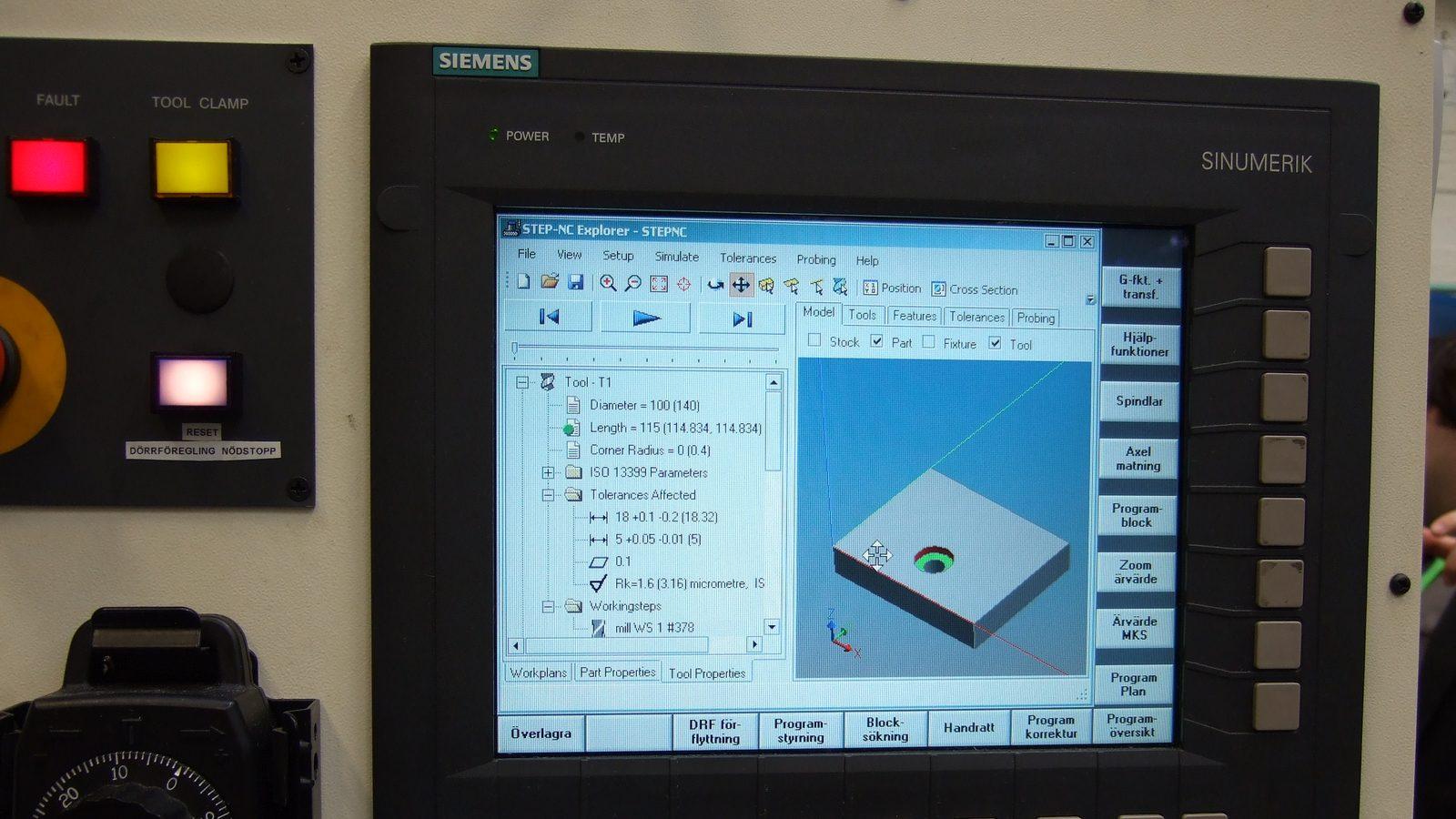
| Siemens Sinumerik | OPC UA (native on Sinumerik ONE, optional on 840D sl) | Sinumerik Integrate, Run MyHMI /OA, native OPC UA server | OPC UA, S7 (PLC side), MTConnect (third-party adapter) |
| Haas | Ethernet Q Commands (plain documented TCP protocol) | None required — it's a documented socket protocol | Q Commands (TCP), MTConnect (native on newer NGC controls) |
| Mazak | MTConnect (native on SmoothAi / SmoothG) | Mazak SmartBox / iSMART Factory (proprietary, paid) | MTConnect, proprietary Smooth API |
| Okuma | THINC-API (Open Architecture) | THINC-API SDK (licensed, requires the OSP option) | THINC-API (local/Ethernet), MTConnect |
| Mitsubishi | MC Protocol / SLMP over Ethernet | MX Component (official ActiveX/COM library) | MC Protocol, SLMP, MTConnect (third-party) |
| Brother | Limited — mostly PLC-level I/O monitoring | No broadly published SDK | Proprietary; MTConnect via third-party retrofit |
| DMG MORI | OPC UA (native on CELOS / Operate 4.5+) | ADAMOS IIoT platform (cloud, paid) | OPC UA, MTConnect, plus whatever the underlying control (often Siemens or FANUC) natively supports |
| Fagor | Documented TCP/IP PC-CNC protocol | Fagor OPC DA/UA server (8070 series) | Proprietary TCP/IP, OPC DA/UA |
| NUM | OPC (DA/UA) via the NUMOPC server | NUM OPC server / CIMNET SDK | OPC DA/UA, Ethernet |
| Beckhoff | ADS protocol over Ethernet | TwinCAT ADS (TcAdsDll) | ADS, OPC UA (built into TwinCAT), MQTT (TwinCAT IoT) |
| Bosch Rexroth | Open Core Interface (OCI) | Open Core Engineering SDK (.NET/C++, licensed) | OCI, OPC UA (IndraMotion MTX option), SERCOS (drive level) |
| ANCA | ANCA gCONNECT (cloud IIoT platform) | gCONNECT API (cloud, paid subscription) | REST/cloud (gCONNECT); OPC UA where the underlying control is Siemens-based, which varies by machine generation |
Controller-by-controller: Python libraries, licensing, and what you can collect
Same fourteen controllers, now with the part that actually matters to a developer: what runs in Python today, what it costs, and what data actually comes back.
| Controller | Python Libraries / Wrappers | Licensing | Typical Data You Can Collect |
|---|---|---|---|
| HEIDENHAIN | pyLSV2 (open-source, unofficial) | pyLSV2 is free (MIT); the official RemoTools SDK requires a paid HEIDENHAIN license | Axis positions, program status/name, tool table, PLC signals, override values, error messages |
| FANUC | Raw ctypes + Fwlib32.dll, with the open-source fwlib project's headers | FOCAS library is free with a FANUC account; the control needs the paid Data Server/FOCAS option enabled | Axis positions, feed/spindle, alarms, macro variables (#500+), tool offsets, active program, PMC I/O |
| Siemens Sinumerik | asyncua / python-opcua (OPC UA), python-snap7 (S7/PLC side) | OPC UA access is free once the server is enabled; some control generations gate it behind a paid option — check with Siemens or your integrator | Axis/spindle data, alarms, R-parameters/GUD variables, NC program, tool offsets |
| Haas | Standard-library socket; a few community scripts | Free — it's a documented, unlicensed TCP protocol | Overrides, active tool, program status, alarm codes, spindle/feed via Q-commands |
| Mazak | Generic MTConnect clients (requests + xml.etree) | MTConnect agent is free to consume; SmartBox/iSMART Factory is paid for deeper data | Execution state, active program, alarms, axis positions (whatever the MTConnect model exposes) |
| Okuma | No native Python binding — pythonnet against THINC-API's .NET interface, or an MTConnect client | THINC-API license is paid and tied to the OSP option | Full OSP variable access via THINC-API; a standard cross-vendor set via MTConnect |
| Mitsubishi | pymcprotocol (open-source, MC Protocol/SLMP) | pymcprotocol is free/open-source; MX Component is the paid official alternative | PLC device registers (D/M/X/Y), alarms, whatever axis/state data is mapped to PLC memory |
| Brother | None dedicated — generic PLC/I/O monitoring | N/A — there's no official API to license | Machine state via I/O taps; production counts via PLC monitoring |
| DMG MORI | asyncua / python-opcua against the native OPC UA server; REST clients against ADAMOS | OPC UA is free once enabled; ADAMOS is a paid subscription | Axis, spindle, program, alarms, tool data via OPC UA |
| Fagor | Raw sockets for the PC-CNC protocol; python-opcua where OPC DA/UA is enabled | The TCP/IP protocol is free and documented; the OPC option is priced per control | Axis position, PLC variables, active program, alarms |
| NUM | asyncua / python-opcua against the NUMOPC server | NUMOPC is licensed per seat/machine | Axis, spindle, PLC variables, alarms |
| Beckhoff | pyads (open-source, mature) | pyads is free (MIT); the ADS protocol is free to use; TwinCAT engineering tools are a separate license | Any symbol exposed by the PLC/NC project — axis, I/O, and custom variables, since it's a PC-based control |
| Bosch Rexroth | asyncua/python-opcua against IndraMotion's OPC UA server; pythonnet for the OCI SDK | The Open Core Engineering SDK is licensed; the OPC UA option is separately priced on some IndraMotion generations | Axis, drive diagnostics (Rexroth is drive-heavy), NC/PLC variables, alarms |
| ANCA | requests against gCONNECT's REST API; asyncua where the base control is Siemens | gCONNECT is a paid subscription | Wheel life, dress data, cycle status, and machine state via gCONNECT; deeper NC data depends on the underlying control |
Read the license before you ship, not after
Two traps catch people every time. First: open-source doesn't mean unencumbered — python-opcua is LGPL and PyQt (unrelated, but the same trap) is GPL unless you buy a commercial license; know what you're redistributing before a tool leaves the building. Second: a free-to-download SDK isn't the same as free-to-use — FANUC's FOCAS library is a free download, but the control still needs a paid option activated before it'll accept the connection. "I got the library" and "I'm licensed to run this in production" are two different checkboxes.
Open-source Python libraries, compared
Zooming into the libraries themselves — the ones you'll actually pip install — rather than the controllers they target:
| Library | Targets | Protocol | License | Best For |
|---|---|---|---|---|
pyLSV2 | HEIDENHAIN (iTNC530, TNC 640, partial TNC7) | LSV2 | MIT | Reading/writing programs, tool tables, and PLC signals on HEIDENHAIN controls |
fanucpy | FANUC robots (R-30iB) — not FANUC CNCs | Custom KAREL driver over TCP | Apache-2.0 | The robot arm in a FANUC tending cell; for the CNC itself, use FOCAS via ctypes with the open-source fwlib headers |
python-opcua / asyncua | Any OPC UA server (Siemens, DMG MORI, NUM, Bosch Rexroth, Beckhoff) | OPC UA | LGPL-3.0 (both) | Vendor-neutral, subscription-based live data — asyncua is the actively maintained successor |
pyads | Beckhoff TwinCAT | ADS | MIT | Reading/writing any PLC/NC symbol on a TwinCAT-based control |
pymodbus | Any Modbus TCP/RTU device — PLCs, VFDs, sensors | Modbus | BSD | Generic PLC/fieldbus data; not CNC-specific, but common on the periphery of a cell |
pycomm3 | Allen-Bradley/Rockwell PLCs | EtherNet/IP (CIP) | MIT | The cell-PLC side of a machine-tending cell, not the CNC control itself (stable but no longer actively developed) |
mtconnect-python (and similar community clients) | Any MTConnect-compliant control | MTConnect (HTTP/XML) | Varies (mostly MIT/Apache) | Cross-vendor monitoring without writing per-brand code |
Worth being precise about scope: pymodbus, pycomm3, and fanucpy aren't CNC libraries — the first two talk to PLCs and drives, and fanucpy (despite the name) drives FANUC robot arms, not FANUC CNC controls. All three show up constantly in machining-cell projects anyway, because a tending robot, a coolant system, or a VFD spindle drive is often easier to read over its own protocol than to extract from the CNC itself. If your "CNC data" question is really "what's happening around the CNC," they belong in the toolbox.
A quick look at three of these in practice — connect, read one value, done:
import pyLSV2

con = pyLSV2.LSV2('192.168.1.5', port=19000, timeout=15, safe_mode=True)
con.connect()

status = con.get_program_status()
info = con.get_versions()
print('program status:', status)
print('control info:', info)

con.disconnect()
import asyncio
from asyncua import Client
async def main():
async with Client(url='opc.tcp://192.168.1.20:4840') as client:
node = client.get_node('ns=2;s=Channel1.SpindleSpeed')
value = await node.read_value()
print('spindle speed:', value)
asyncio.run(main())import pyads
plc = pyads.Connection('5.24.34.100.1.1', pyads.PORT_TC3PLC1)
with plc:
x_pos = plc.read_by_name('MAIN.axisPositionX', pyads.PLCTYPE_LREAL)
print('X position:', x_pos)Three different libraries, three different wire protocols, and — deliberately — almost the same shape: connect, read a value, disconnect. That shape is the thing worth internalizing more than any one API.
For the three protocols with the most ground to cover — FOCAS, MTConnect, and OPC UA — the code library has full, tested, copy-ready versions of these patterns, not just the trimmed-down snippets above:
Official SDK or open-source library? How to choose
This isn't really an "either/or" — most real fleets end up running both, on different machines. But when you're staring at one control deciding where to start:
- Official SDKs win on depth and support. FOCAS, THINC-API, and RemoTools expose things community wrappers can't reach — deep diagnostics, write access, guaranteed behavior across firmware versions — and when something breaks, there's a vendor to call.
- Official SDKs lose on friction. Licensing costs, NDAs, Windows-only DLLs, and support cycles measured in ticket queues, not GitHub issues. Getting a THINC-API or Open Core Engineering license moving can take longer than writing the whole rest of your collector.
- Open-source libraries win on speed and cost.
pip install, read the source when the docs run out, and you're reading data the same afternoon.pyads,asyncua, andpyLSV2are all mature enough to trust in production. - Open-source libraries lose on guarantees. No SLA, no vendor support line, and maintenance depends on volunteers —
pyLSV2in particular reverse-engineers an undocumented protocol, so new HEIDENHAIN firmware occasionally breaks something until the maintainers catch up.
My actual default
Reach for the open-source library first, on every controller that has one worth trusting — pyads, pyLSV2, asyncua, a thin ctypes FOCAS wrapper. Escalate to the official SDK only when you hit a wall it can't clear: write access you need guaranteed, data the open library doesn't expose, or a support contract your customer requires. Most monitoring and dashboard work never needs to escalate at all.
Comparison matrix: ranking each controller for Python integration
A rougher, more opinionated cut — how each platform actually feels to integrate, from someone who's had to do it under a deadline:
| Controller | Ease of Integration | Python Support | Docs Quality | Community Support | Cost / Licensing | Industry Adoption |
|---|---|---|---|---|---|---|
| FANUC | Medium | High | High | High | Medium | Very High |
| Siemens Sinumerik | Medium–High | High | High | High | Medium | Very High |
| Beckhoff | High | High | High | High | Low | Medium–High |
| Haas | High | High | Medium | Medium | Low | High |
| HEIDENHAIN | Medium | Medium | Medium | Medium | Low–High* | High |
| DMG MORI | Medium | High | Medium | Medium | Medium–High | High |
| Mitsubishi | Medium | Medium | Medium | Medium | Low–Medium | Medium |
| Mazak | Medium | Medium | Medium | Medium | Medium–High | High |
| Bosch Rexroth | Low–Medium | Low | Medium | Low | High | Medium |
| Okuma | Low | Low | Medium | Low | High | Medium–High |
| Fagor | Low–Medium | Low | Low–Medium | Low | Medium | Low–Medium |
| NUM | Low–Medium | Low | Low | Low | Medium–High | Low |
| ANCA | Low | Low | Low | Low | High | Niche (grinding) |
| Brother | Low | Low | Low | Low | N/A | Medium (niche) |
*HEIDENHAIN's spread reflects two very different paths to the same control: pyLSV2 is free, but the officially licensed RemoTools SDK is not.
Don't pick the controller with the best rating on this table — pick the one your shop already owns, and use this table to set expectations for how much runway you'll need.
Real-world use cases
This all sounds abstract until it's running against real machines. Here's what people actually build once the data starts flowing:
- Live machine monitoring. A dashboard or andon board showing every machine's cycle state, program, and alarms in real time — the most common first project, and usually the fastest to justify.
- Tool life tracking. Reading tool tables and usage counters (FOCAS, LSV2, or PLC-side) to flag a tool nearing end-of-life before it snaps mid-cut instead of after.
- Predictive maintenance. Trending spindle load, servo diagnostics, and vibration spectra over weeks to catch a failing bearing or misalignment on a schedule you choose, not one a breakdown chooses for you.
- Automated reporting. Shift summaries and scrap reports generated from real cycle data instead of an end-of-shift spreadsheet — a natural pairing with openpyxl for the output side.
- Production dashboards and OEE. Availability, performance, and quality computed continuously instead of recreated by hand every Friday.
- Digital twins. Mirroring real axis positions and machine state into a 3D visualization or simulation — genuinely useful for training and remote visibility, genuinely oversold as a replacement for walking the floor.
- Remote diagnostics. Alarm history and machine state reachable from a phone or a service laptop, so a controls engineer can triage before driving in — and, increasingly, the read-only data layer that an AI agent sits on top of to answer plain-language questions about the floor.
One data model, many protocols: building a universal collector
The mistake I see most often isn't a wrong protocol choice — it's building the FANUC collector, then the Beckhoff collector, then the Siemens collector, as three unrelated codebases that each grow their own downstream logic. The fix is boring and durable: define one internal shape for a machine reading, and make every protocol-specific collector responsible for nothing but filling it in.
from dataclasses import dataclass
from datetime import datetime, timezone
from typing import Optional

@dataclass
class MachineReading:
    machine_id: str
    source: str          # 'focas' | 'opcua' | 'mtconnect' | 'ads' | 'lsv2'
    timestamp: datetime
    program: Optional[str] = None
    spindle_speed: Optional[float] = None
    feed_rate: Optional[float] = None
    axis_x: Optional[float] = None
    axis_y: Optional[float] = None
    axis_z: Optional[float] = None
    alarm: Optional[str] = None

def from_opcua(machine_id: str, node_values: dict) -> MachineReading:
    return MachineReading(
        machine_id=machine_id,
        source='opcua',
        timestamp=datetime.now(timezone.utc),
        spindle_speed=node_values.get('SpindleSpeed'),
        feed_rate=node_values.get('FeedRate'),
        program=node_values.get('ActiveProgram'),
    )

# from_focas(), from_lsv2(), from_ads() all return the same MachineReading.
# your dashboard, database, and alerts never need to know which protocol it came from.
Every collector in this post — FOCAS, LSV2, OPC UA, ADS, MTConnect — ends at the same place: a handful of numbers with a timestamp. Normalize at the edge, right where each protocol's quirks are already being handled, and everything downstream (dashboard, database, alerting, an OEE calculation) is written once against one shape instead of once per machine brand.
Best practices for a production CNC data collection platform
- 1Design the unified data model first, protocols second. Decide what a
MachineReadinglooks like before writing a single collector — it's the contract everything else is built against. - 2Prefer subscriptions over polling where the protocol offers it. OPC UA and MTConnect can push updates on change; FOCAS, ADS, and LSV2 require polling — poll politely, on an interval the control can sustain, not as fast as the loop will go.
- 3Treat every collector as read-only until proven otherwise. Write access (tool offset corrections, program upload) is a separate, much higher-stakes feature — don't bundle it into a monitoring project by default.
- 4Handle disconnects as the normal case, not the exception. Machines reboot, networks hiccup, cables get unplugged during a changeover. A collector that can't reconnect gracefully will page someone at 2 a.m. for the wrong reason.
- 5Store the raw payload alongside the normalized reading. Cheap to keep, invaluable when a dashboard shows something impossible and you need to know whether the source data or your parsing was wrong.
- 6Audit every license before it ships. GPL vs. LGPL vs. MIT, a free SDK vs. a paid machine option — the same trap that catches PyQt projects catches machine-data projects too, and it's cheaper to catch in code review than in a legal notice.
- 7Isolate collector traffic on its own network segment. FOCAS, ADS, and OPC UA ports have no business being reachable from the general office network — a VLAN or a jump host between the shop floor and everything else is not optional.
- 8Start with one machine family, prove the model, then scale out. The controller-by-controller table above is a map, not a checklist — build the FANUC collector, get it feeding a real dashboard, and let that shape what the second controller's collector needs to match.
The network segment is not optional
FOCAS, ADS, and OPC UA all grant real access to a machine tool — reading, and on some, writing. Exposing those ports to a flat office network turns every laptop that gets phished into a path to a spindle. Put collectors behind a VLAN, a firewall rule, or a jump host, and keep write access even more tightly scoped than read access.
Once the data's flowing, the interesting work starts — OEE that updates itself, tool-life alerts, a dashboard nobody has to walk the floor to check. If you're staring at a specific controller from this list and want a second opinion on the fastest path in, get in touch.